The newest Apple Watch, the Series 11, comes equipped with sleep apnea detection. This model is the latest with a feature intended to detect moderate-to-severe obstructive sleep apnea (OSA) in adults who have not received an OSA diagnosis. Other Apple Watches with this feature include the Series 9 and 10, the Ultra 2 and 3, and the SE 3.
The Apple Watch uses motion sensors to analyze when a person is in light sleep, deep sleep, or awake. This device can also monitor heart rate and blood oxygen levels during the night. As sleep apnea is characterized by periods of paused or shallow breathing, the disorder directly affects both sleep quality and blood oxygen levels.
We take a closer look at what sleep apnea is, which metrics the Apple Watch collects during sleep, how its sleep apnea detection feature works, and how the feature compares to at-home and lab-based sleep studies.
What Is Sleep Apnea
When a person has sleep apnea, they frequently stop breathing or experience periods of very shallow breathing during sleep.
In obstructive sleep apnea (OSA), the upper airway becomes narrowed or blocked, often because of relaxed muscles and tissues in the throat. With central sleep apnea, the brain fails to properly regulate signals for breathing. Both types of sleep apnea cause fragmented sleep and can contribute to other health problems.
Is Apple Watch FDA-Approved for Sleep Apnea?
In September of 2024, the U.S. Food and Drug Administration (FDA) gave 510(k) approval to the Apple Watch's sleep apnea notification feature for its ability to notify people who have a sleep apnea risk. However, the Apple Watch has not been approved to diagnose or help manage sleep apnea treatment.
Apple’s respiratory rate and blood oxygen measurements are not meant for medical use. Because the watch is used without medical supervision and doesn’t directly measure airflow or brain waves, the Apple Watch is less accurate than a full sleep study.
Don’t Just Test Your Sleep. Understand It.
Measure key sleep metrics and review your results with a licensed sleep-care provider. Discuss sleep issues and options to make restless nights a thing of the past.


How Does an Apple Watch Track Your Sleep?
The Apple Watch primarily tracks your sleep using a 3-axis accelerometer, a sensor that records motion in three dimensions. In addition to identifying larger body movements, the accelerometer can identify subtle movements that aren't visible to the eye, such as movement your body makes when you breathe in or out.
Starting with the Series 3 in 2020, Apple Watches have been able to estimate when a person is asleep or awake. Since 2022, an update has allowed newer Apple Watches to estimate how much time sleepers spend in each of the following sleep stages:
- Awake: Wakefulness, or a state of not being asleep
- Core: Sleep stages 1 and 2, often referred to as "light sleep"
- Deep: Sleep stage 3, often called "slow-wave sleep"
- REM: Rapid eye movement sleep, often associated with dreaming
Most people cycle through light sleep, deep sleep, and REM sleep, completing several full sleep cycles during the night.
Newer Apple Watches also estimate your breathing rate, breathing disturbances, and blood oxygen levels during sleep. These measures play a role in sleep apnea notifications, because sleep apnea causes breathing disruptions that can lead to reduced blood oxygen levels.
How Does an Apple Watch Measure Respiration and Blood Oxygen Level?
Like sleep stages, Apple Watches estimate breathing disruptions using the 3-axis accelerometer and changes in body movements. Blood oxygen levels during sleep are estimated through a sensor that measures oxygen in the blood through your skin. You can also manually take blood oxygen measurements while awake using the watch’s Blood Oxygen option.
How Do You Set Up Sleep Apnea on Apple Watch?
Follow these steps to receive Apple Watch sleep apnea notifications:
- Update your iPhone to the latest version of iOS and Apple Watch to the latest version of watchOS.
- Set up a sleep schedule in the Health app on your iPhone.
- Enable "Track Sleep with Apple Watch" in the Apple Watch app.
- In the Health app on your iPhone, search for Respiratory, then select Set Up under Sleep Apnea Notifications, and follow the prompts.
- Make sure your Apple Watch has at least a 30% charge, then wear it while you sleep each night, for at least 10 nights over every 30-night period.
Sleep apnea data are analyzed every 30 days. If you receive a notification that sleep apnea may be detected, you can export a PDF document to share with your healthcare provider. If you want to view your breathing data even when you haven't received a sleep apnea notification, you can do so in the Health app on your iPhone under the Respiratory option.
What Does Sleep Apnea Look Like on Apple Watch?
A sleep apnea notification looks like pop-up text on your Apple Watch screen that begins "Possible Sleep Apnea. Your breathing shows signs of possible sleep apnea." On your iPhone, you can view more detailed information, including the dates you experienced more breathing disturbances. You'll also have the option to export a PDF report to share with your doctor.
Even when you haven't received a sleep apnea notification, you can check your breathing data on your iPhone. To do so, open the Health app, tap Search, tap Respiratory, and then select Breathing Disturbances. You can view breathing data from the past month, six months, or year.
What Should I Do if My Apple Watch’s Data Suggests I Could Have Sleep Apnea?
If you suspect you have sleep apnea based on notifications from your Apple Watch, talk to your doctor. They can evaluate your symptoms and refer you to a sleep clinic for further testing if needed.
Wearable devices are not always accurate at detecting health conditions. If you believe you have sleep apnea but your Apple Watch hasn’t flagged any symptoms, you should still seek the opinion of a health care professional.
How Do You Get Tested for Sleep Apnea?
If you're wondering if you have sleep apnea, Apple Watch cannot test a person for or diagnose the disorder. There are two ways to get tested for sleep apnea: an overnight sleep study in a lab, which is called polysomnography, and an at-home sleep study, also called a home sleep apnea test (HSAT).
Polysomnography is the gold standard for diagnosing sleep apnea. It's a comprehensive sleep study that measures brain activity, eye movements, heart rate, breathing rate, blood oxygen levels, snoring, body movements, and other metrics. In addition to obstructive sleep apnea, polysomnography can help diagnose other sleep disorders like narcolepsy.
Compared to polysomnography, which requires an overnight stay and getting hooked up to various sensors, home sleep apnea tests offer more convenience and may be a better option for people whose symptoms suggest a less complicated sleep-related breathing disorder.
Sleep Doctor offers a low-cost, easy-to-use at-home sleep study that you can have mailed to you after meeting with a doctor online. This test is a good option for many people who snore loudly, wake up during the night, or suspect they have sleep apnea, but don't want to undergo polysomnography, which can be both expensive and time-consuming.
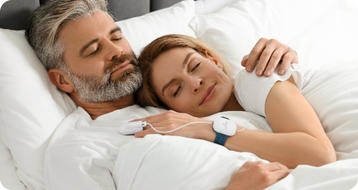
The Sleep Doctor at-home sleep study uses WatchPAT ONE technology. This technology involves wearing a wristwatch-like device, a finger sensor, and a chest sensor for one night in your own home. Afterward, the test is disposable. The test is FDA-approved and eligible for payment through a health savings account (HSA) or a flexible spending account (FDA).
Frequently Asked Questions
What signs of sleep apnea does an Apple Watch track?
Signs of sleep apnea that may appear on Apple Watch data include a fluctuating respiratory rate, occasional drops in blood oxygen levels, frequent changes to sleep stages, and a higher proportion of light sleep or awake periods.
Can I use my Apple Watch to track the effectiveness of my sleep apnea treatment?
An Apple Watch is not intended to be used as a medical device, and you shouldn’t rely on this device to monitor your sleep apnea treatment.
The sleep data provided by an Apple Watch may offer useful insights into how your sleep evolves over time. However, the best way to analyze your sleep apnea treatment is by paying attention to your symptoms and meeting regularly with your doctor. If you receive CPAP therapy, your CPAP machine also monitors your sleep apnea symptoms.
Is there an app that can detect sleep apnea?
A few apps have been FDA-approved to pre-screen for sleep apnea. These apps require a prescription and include Drowzle, SleepCheckRx, and more. They audio record a sleeper's breathing and snoring as they sleep, then use this data, along with inputted symptom information, to predict sleep apnea risk. There are also non-FDA-approved apps that claim to work similarly.
However, the American Association of Sleep Medicine (AASM) recommends speaking with a doctor and undergoing sleep apnea testing, rather than using these pre-screening apps, even if they are FDA-approved.